CineStill 400D contact sheet
Make a contact sheet of your CineStill 400D scans, with its glowing edge print and frame numbers drawn the way they look on the negative.
Make a CineStill 400D contact sheet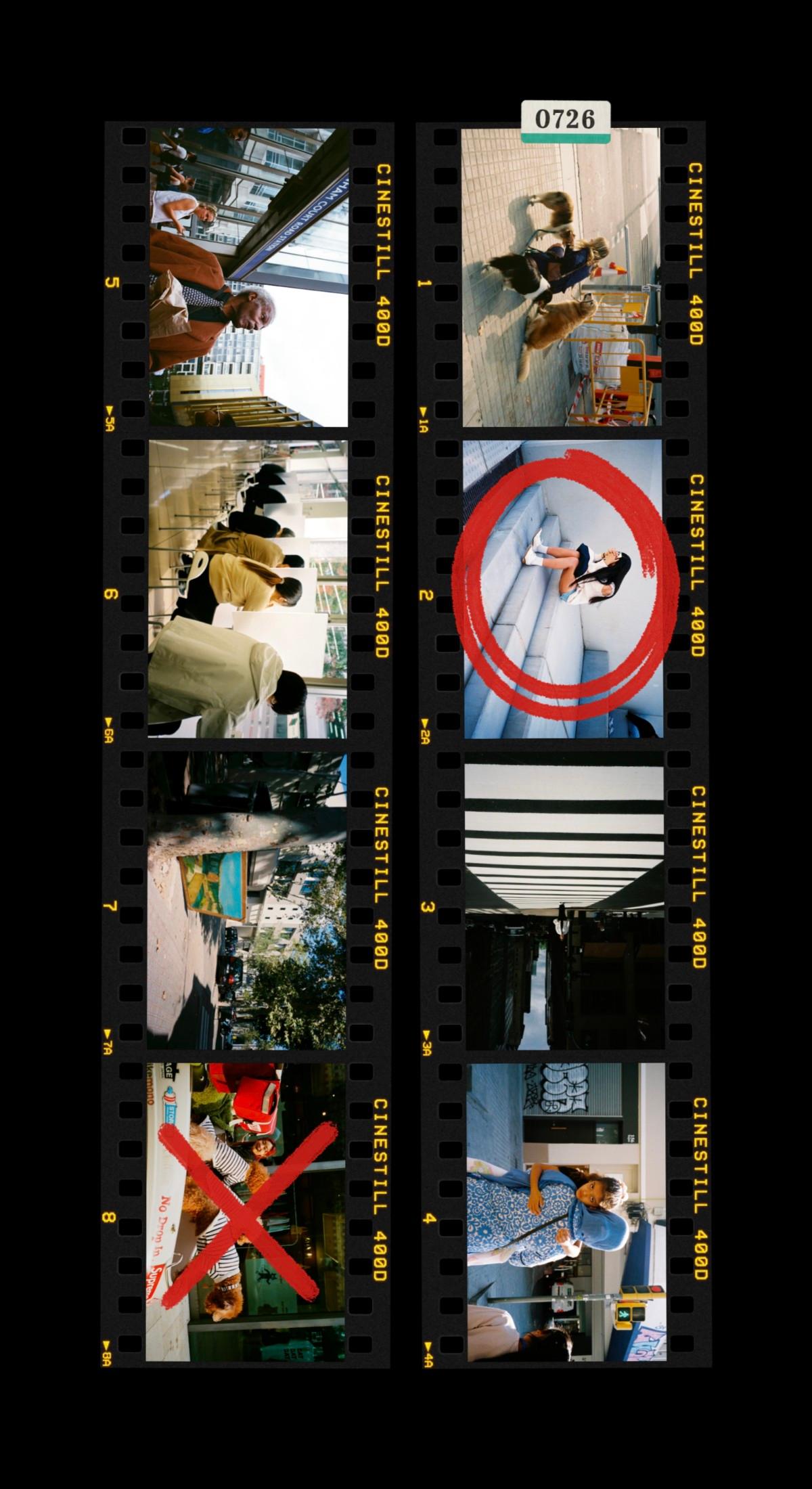
The film
CineStill 400D is a daylight balanced colour film with no remjet, made for C-41. It came out in 2022 as the all-rounder of the range: fast enough for most light, with the same warm CineStill look.
- Made by
- CineStill
- Speed
- ISO 400
- Type
- Colour negative
- Process
- C-41
- Edge print
- CINESTILL 400D
- DX code
- No
On the edge
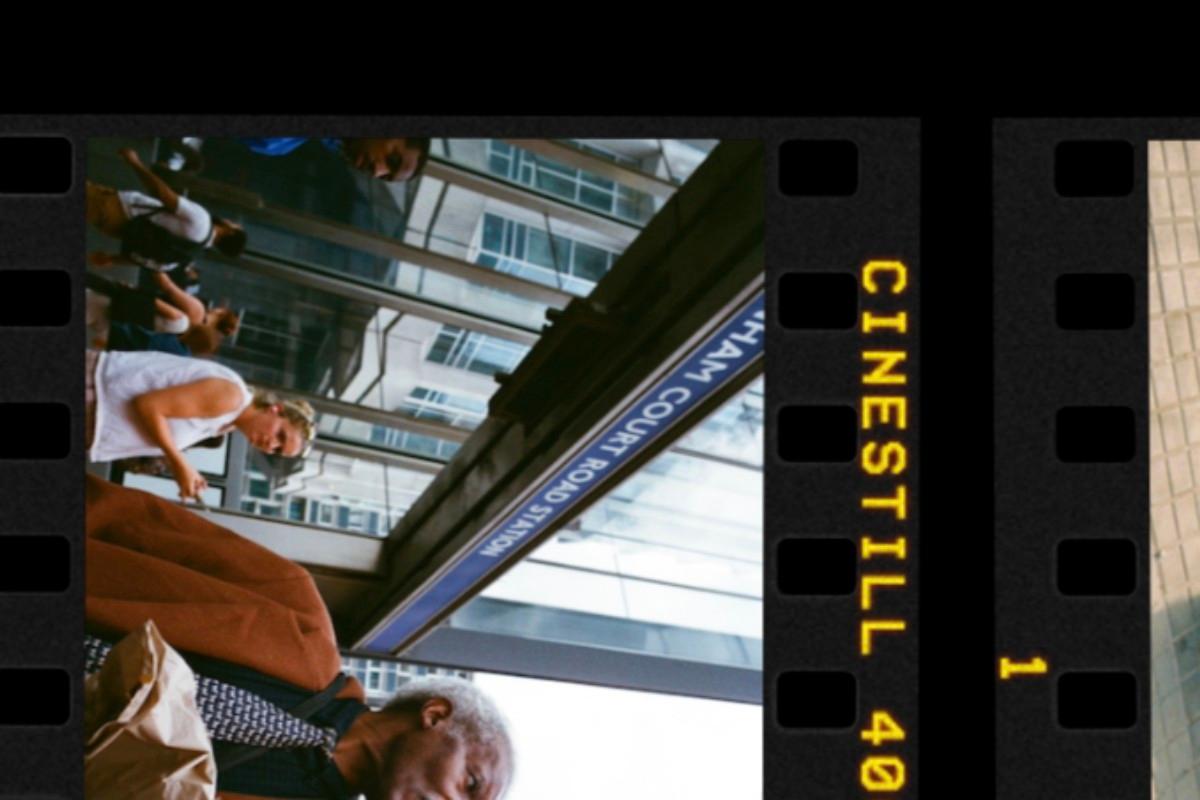
Its edge print is yellow and set in a pixel font, with big frame numbers in the middle and a red halation glow around everything.
There’s no DX code on this one, just the print and the sprocket holes. Grain runs over all of it, since the edge print is exposed into the same emulsion as the pictures.
Film burn
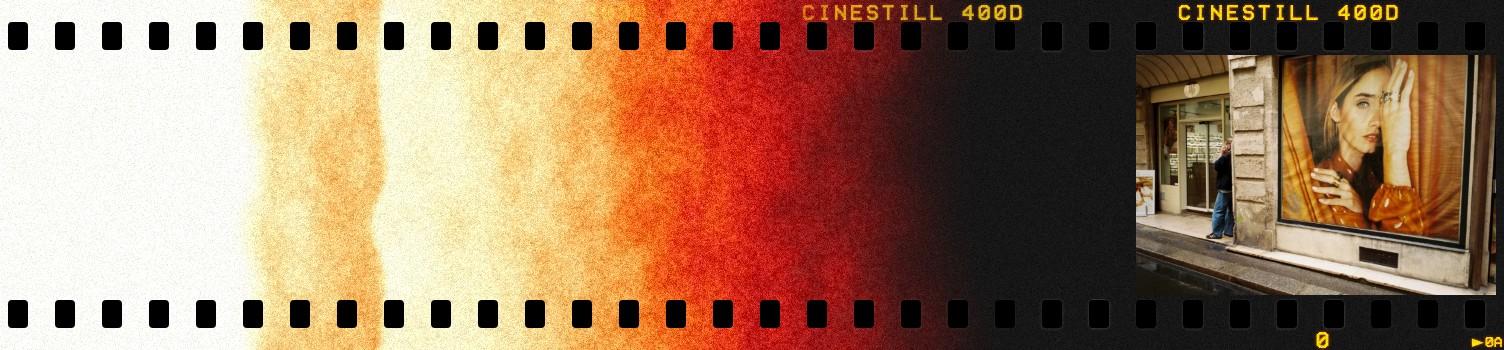
The first few frames of a roll get light while you load the camera, so they come back burnt: blown out where the light got in, fading to the clear base, with the edge print showing through. Film burn, first of the roll, a fogged leader: it’s the light leak everyone gets at the start of a roll, and Capa can draw it. Turn on Film burn in the extra settings and the sheet starts with three burnt frames, so your first photo lands on frame 0, like it does on the negative.
CineStill is motion picture film with its anti-halation backing taken off, so it burns redder than other colour negative: white, then orange, then a deep red before it fades out.
The burn is never the same twice. Every roll gets its own, uneven and grainy, so no two sheets look alike.
Make your own CineStill 400D contact sheet
Add your scans, up to 42 frames, a whole roll on one page. Mark your keepers with a wax pencil, add a note, then download a PNG to share, or a Letter or A4 PDF to print and file with your negatives.